ASCAND is the first 3D scanning platform designed specifically for schools.
For decades, 3D scanning technology has been confined to research labs and expensive engineering equipment.
Now it is finally accessible to the classroom.
Students only need a camera and a web browser to capture real-world objects and turn them into digital 3D models.
For the first time, every student in a classroom can experience 3D scanning.
Finally Affordable, Manageable and Fun
Traditional 3D scanners fail in schools because they are:
ASCAND removes these barriers.
By combining web technology, computer vision, and AI processing, ASCAND transforms everyday devices into powerful 3D scanning tools.
Students simply open a webpage and start scanning.
The Unfair Advantages of ASCAND
Designed for the Reality of Schools
Works on Any Device
ASCAND runs entirely in the web browser.
Students can scan objects using:
If a device has a camera and a browser, it works.
Why Schools Usually Cannot Deploy 3D Scanners
Schools want to introduce modern technologies like 3D scanning, computer vision, and digital fabrication.
But in practice, most solutions never make it into the classroom.
Not because teachers lack interest, but because the technology does not fit the realities of schools.
| Barrier in Schools | Why It Stops Most 3D Scanners | How ASCAND Solves It |
|---|---|---|
| IT installation restrictions | Most scanners require specialized software installed on school computers | ASCAND runs entirely in the browser |
| Device compatibility | Many scanners only work with specific operating systems | ASCAND works on phones, tablets, laptops and Chromebooks |
| Data privacy (GDPR) | Many systems require student accounts and data collection | ASCAND requires no student accounts |
| Complex hardware setups | Traditional scanners are lab equipment requiring trained operators | ASCAND is designed for classroom use |
| Budget cycles | Subscription software conflicts with annual school budgets | ASCAND avoids mandatory multi-year subscriptions |
| Limited access | Lab scanners allow only one student at a time | ASCAND enables classroom-wide participation |
| Cost | Industrial scanners often cost thousands of euros | ASCAND makes 3D scanning affordable |
The Result:
Instead of a single specialized device in a lab, ASCAND enables an entire classroom to explore 3D scanning simultaneously.
For the first time, schools can introduce 3D capture technology as a regular classroom activity.
Not as a demonstration.
Not as a research project.
But as something every student can experience directly.
ASCAND was designed from the ground up to remove the barriers that have prevented 3D scanning from reaching the classroom.
No IT Intervention Required
Most schools cannot install new software.
ASCAND requires none.
Teachers simply open a webpage and start scanning.
No installation
No device configuration
No administrator permissions
No Student Accounts Required
Data protection regulations like GDPR make student accounts difficult to manage.
ASCAND does not require them.
Students can participate immediately without sharing personal information.
Fits School Budget Cycles
School budgets operate annually.
ASCAND avoids long-term software subscriptions.
Schools can purchase the scanning kit once and use it immediately.
Affordable for Every Classroom
Traditional scanners often cost €1000–€10,000.
ASCAND enables classroom-wide access at a fraction of the cost.
Instead of one student scanning while others watch, every student can participate.
From Reality to Knowledge
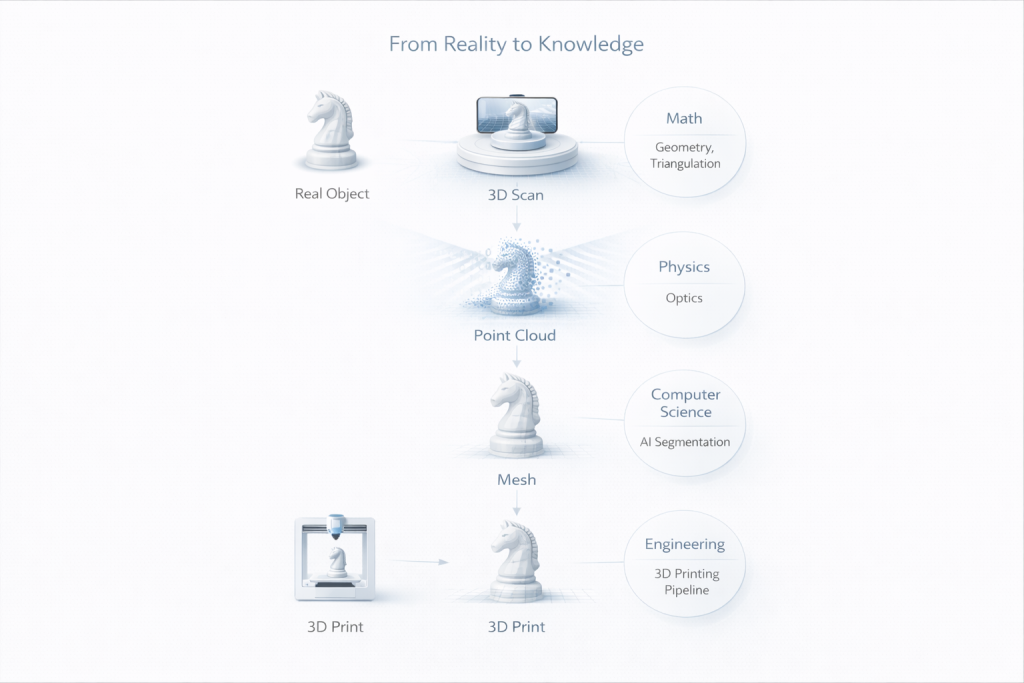
Each step introduces concepts from multiple STEM disciplines.
Students learn how mathematics, physics, computer science, engineering and art work together to transform reality into digital models.
One Technology Platform Connecting Five Subjects
Each step introduces concepts from multiple STEM disciplines.
Students learn how mathematics, physics, computer science, engineering and art work together to transform reality into digital models.
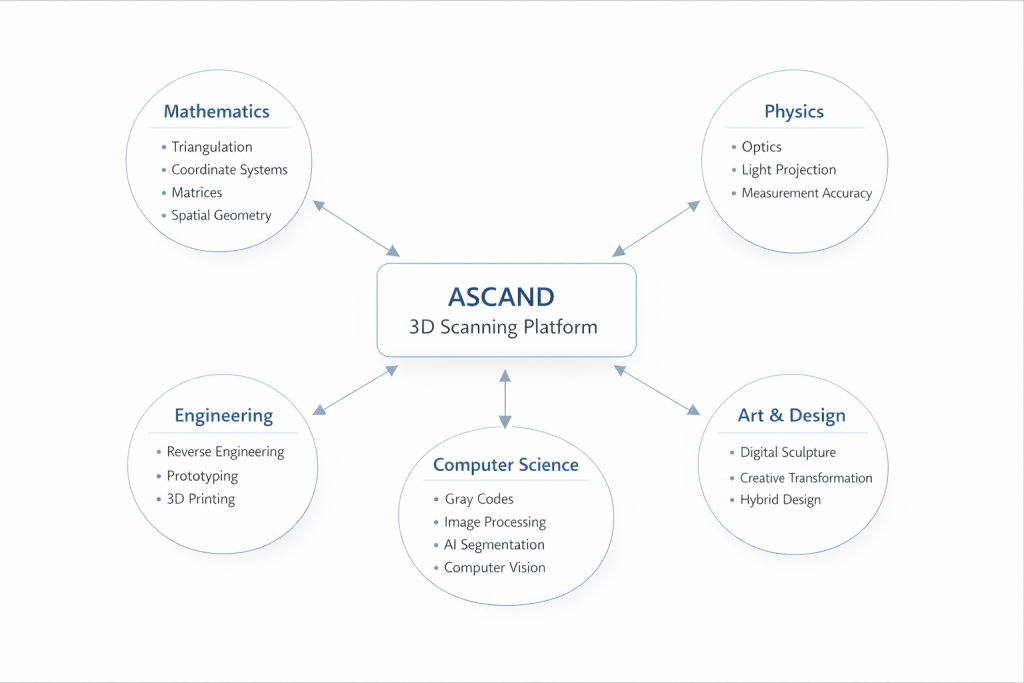
ASCAND integrates multiple STEM disciplines into a single learning experience.
Students see how different subjects interact within a real technological system.
Mathematics
3D scanning is fundamentally a geometric problem.
Students explore concepts such as:
Mathematics becomes visible through measurement.
Physics
Scanning is based on optical measurement.
Students observe:
They see how physical phenomena generate digital data.
Computer Science
ASCAND exposes the computational processes behind modern computer vision.
Students learn about:
These technologies power robotics, autonomous vehicles and industrial scanning.
Engineering
Digital models allow students to build and manufacture.
Students explore:
Ideas become physical objects.
Art & Design
Digital fabrication also enables creative expression.
Students can:
ASCAND connects technology with creativity.
Aligned with European STEM Education Standards
ASCAND’s interdisciplinary approach reflects competencies defined in major European education frameworks.
These include:
These frameworks emphasize:
ASCAND enables students to explore these competencies through real-world experimentation.
Curriculum Coverage from Grade 7 to Graduation
ASCAND supports learning across the secondary school curriculum.
| Grade Math | Physics | Computer Science | Engineering | Art | |
|---|---|---|---|---|---|
| 7-8 | Geometry & spatial reasoning | Light & reflection | Digital images | Making basics | Shape studies |
| 8-9 | Coordinate systems | Optics | Image processing | Digital models | Sculptures |
| 9-10 | Trigonometry | Measurement methods | Gray Codes | 3D printing | Object transformation |
| 10-11 | Vector geometry | Optical triangulation | Computer vision | Reverse engineering | Hybrid digital art |
| 11-12 | Matrices & transformations | Measurement precision | AI segmentation | Product design | Generative design |
| 12-13 | Spatial modelling | Scientific measurement | Data processing | Prototype iteration | Digital installations |
The Technology Behind ASCAND
ASCAND integrates technologies normally used in industrial scanning systems.
Students can explore:
ASCAND turns these into visible and teachable processes.
The Future of Local Manufacturing
The next generation of engineers and designers will not only create digital models.
They will capture the physical world and transform it into data.
ASCAND allows students to experience this transformation firsthand.
From reality
to digital knowledge
to manufactured objects
Start Scanning
Bring advanced 3D scanning technology to your classroom.
Open a browser.
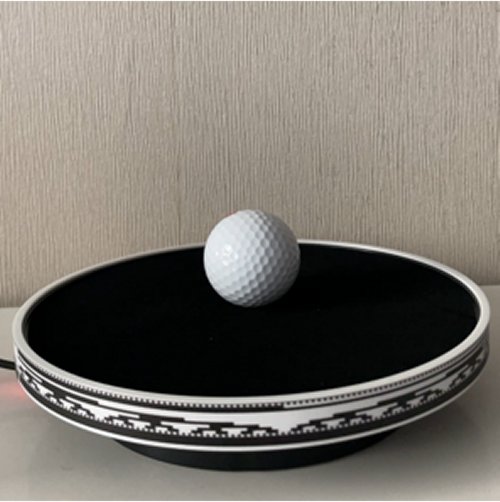
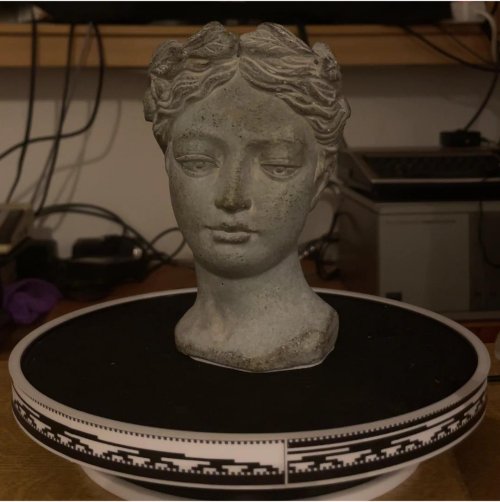
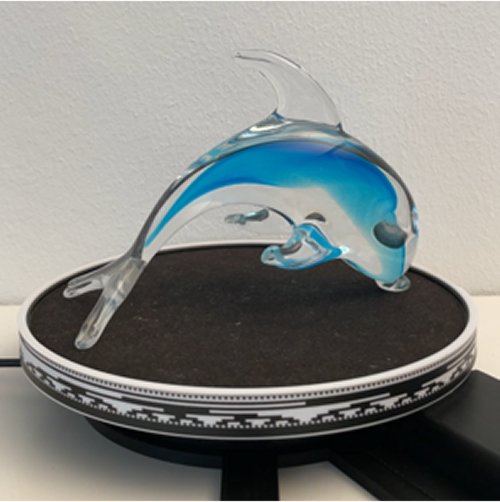
Place an object on the turntable.
Capture the world in 3D.
Unedited Scan Results – Straight from the Cloud
These unedited single-scan examples were captured using the ASCAND Vision Kit.
Upgrade with the optional Laser Kit for even sharper detail and multi-angle merges.
Explore More Real Scans
Curious how it turns out? Check out our Gallery to see actual results from real scans.